Whitelist and operators
Decide who can join your server and who gets the big commands.

Once your server has an address other people can reach, someone you don't know will eventually find it. Two built-in features stop that from turning into a problem, and the Players tab runs both with buttons.
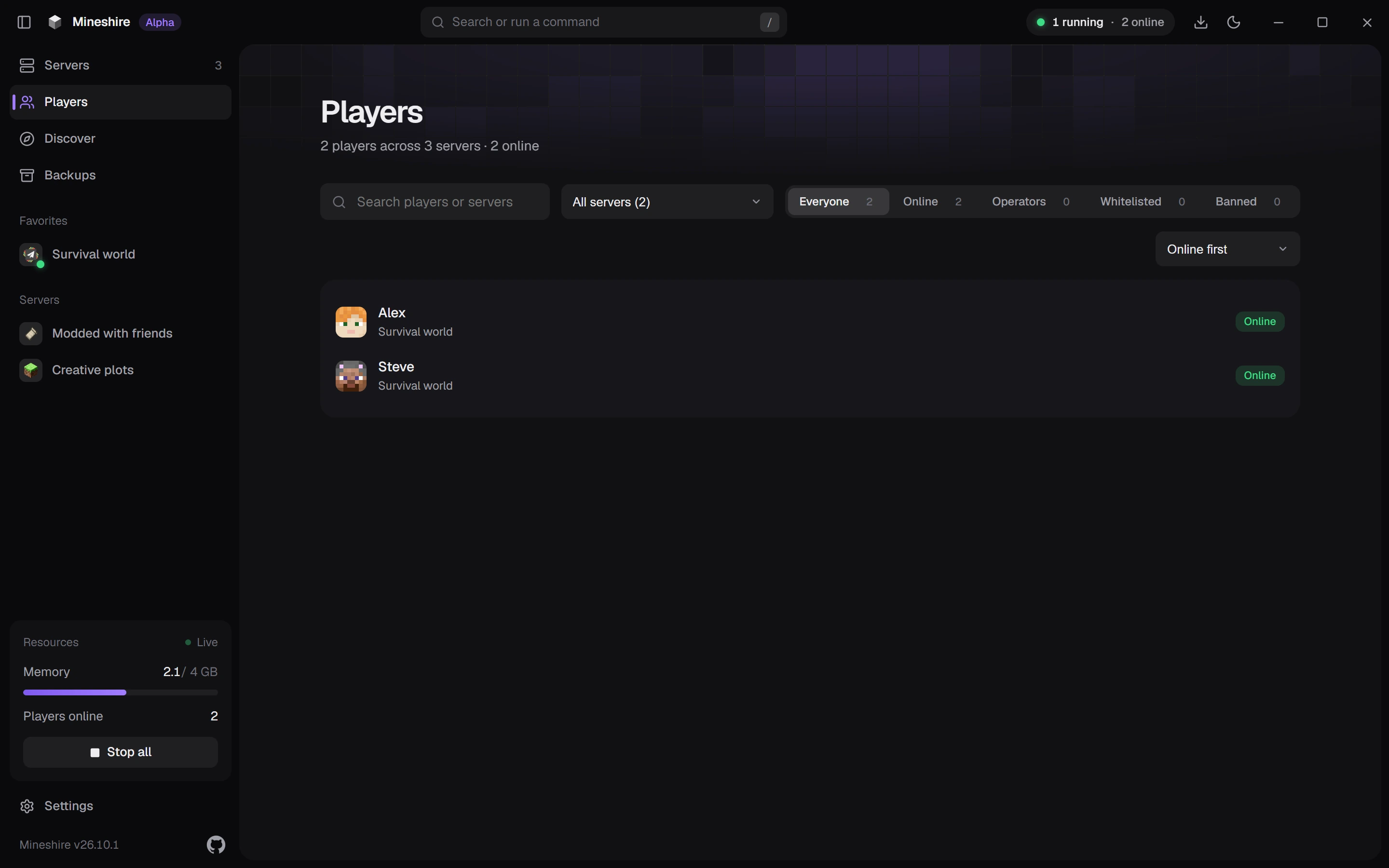
The whitelist
Think of it as a guest list. If a name isn't on it, the server turns that player away with a short message. Switch it on in the Players tab, then add your people one by one.
The list stores each player's account ID next to their name, so someone who renames their account keeps their spot.
Behind the scenes it lives in whitelist.json. A related setting, enforce-whitelist, decides what happens to people who are already online when you switch the list on. With it on, anyone not on the list is booted at the next reload. With it off, they stay until they log out.
If a friend sees "You are not whitelisted on this server", add their exact name and double-check the spelling. One wrong letter means no match.
Keep real accounts required
The whitelist is only as strong as the check behind it. With Only real Minecraft accounts can join on (the default), the server asks Mojang to confirm that each player owns the account they claim. Turn it off and anyone can join under any name, including one on your whitelist, which makes the whitelist pointless. Only switch it off on purpose, for example when a proxy in front of the server does the check.
Operators
Operators get the big commands: game modes, teleporting, items, bans, even stopping the server. Hand that out the way you'd hand out house keys.
Open a player in the list to make them an operator, or to remove them. Online players show an Operator badge. A new operator gets level 4, the top level, which is more than most helpers need.
Each operator is stored in ops.json with a permission level from 1 to 4. A good habit is to op nobody for everyday play, yourself included on a public server. The console always has full power, so use that for admin work.
Something in between
Most servers need more than "can do nothing" or "can do anything". Plugin servers handle that with a permissions plugin such as LuckPerms, which lets a moderator kick and mute without being able to stop the server or change the world. Vanilla servers don't have this, and it's one reason communities often move to a plugin server as they grow.
Kick and ban
Both ask for a reason, and the dialog won't take an empty one. It offers a few ready-made reasons too. Future you will be glad of the record.
A short routine
- Whitelist on.
- Real accounts required.
- Few operators, and none for people you met last week.
- The server address shared only with people you trust.
- A backup, because sooner or later someone with access will slip up.
Still stuck?
The Discord is the quickest way to reach us.