Make a server from a modpack
Find a modpack, install it as a new server, and what to do about mods Mineshire can't download for you.

A modpack is a ready-made set of mods that were picked to work together. Setting one up by hand means a loader, dozens of files and a lot of waiting. Mineshire does all of that and gives you a normal server at the end.
Find a modpack
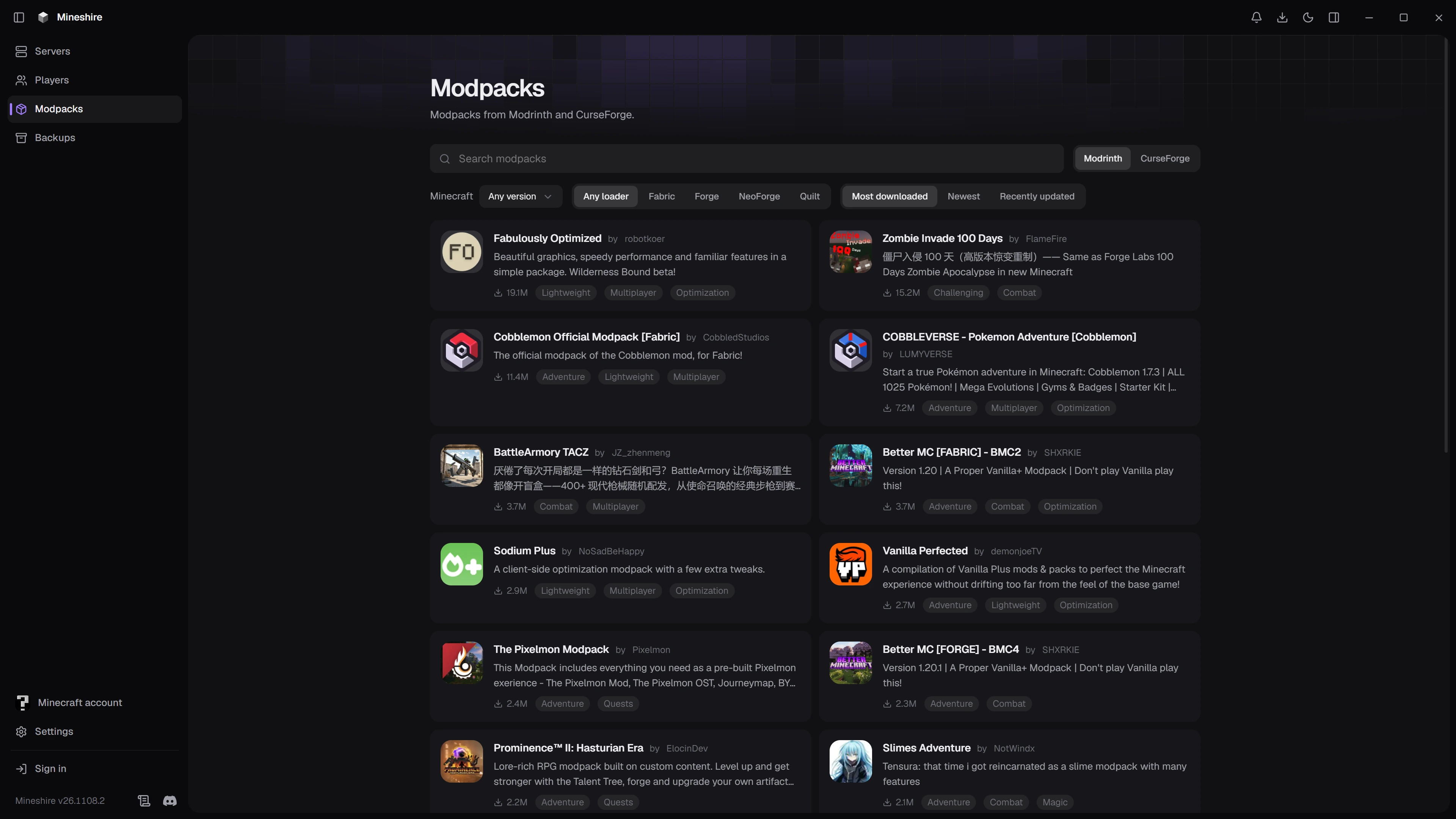
Open Modpacks in the sidebar. Type a name into Search modpacks, or browse with the filters:
- Modrinth or CurseForge decides where the list comes from.
- Minecraft limits the list to one game version.
- Any loader, or one specific loader, if you only want packs for Fabric, Forge, NeoForge or Quilt.
- Most downloaded, Newest or Recently updated changes the order. The order buttons switch off while you're searching, because a search sorts by how well a pack matches your words.
Open a pack to read its About page. The Versions tab lists every file the author has published, with the game version, the loader, the release type and the size. Pick a version yourself if you need one for a particular Minecraft release.
Install it
Press Install on the pack page, or on one version in the list. The plain button picks the newest release version for you.
Mineshire reads the pack first, which takes a moment. Then the setup page opens with the details already filled in:
- The name is the pack's own name, and Mineshire changes it if you already have a server with that name.
- The Minecraft version and the loader are fixed, because the pack decides them. You can't change them here.
- Memory starts at an amount suited to a modded server. Big packs like more, and the slider stays within what your computer has.
Check the name and the memory, then press Create server. A progress card shows each step: the loader, the pack itself, the pack's settings and then every mod, counted as it downloads. When it finishes you can press Open server or Back to servers.
Mods that are left out
Some mods in a pack only matter to the player, like a minimap or a shader tweak. A server doesn't need them, so Mineshire leaves them out and tells you how many. If it couldn't tell which mods were player-only, it says so, and a few may be included. When the server crashes at the start, the log names the mod to remove.
Mods you have to download yourself
On CurseForge, some authors only allow downloads from CurseForge itself. Mineshire can't fetch those. The setup page lists each one with the exact file name, and the server is created without them.
To finish the job:
- Download the exact file named in the list. A newer version won't do, because the rest of the pack was built for that one.
- Put it in the server's mods folder. The Files tab has an Open in file explorer button that takes you there, and Browse and edit a server's files explains the tab.
- Start the server.
If a whole pack can only be downloaded from its own site, the pack page shows View on CurseForge instead of Install.
When the server won't start
Read the console first. Errors about a missing or broken mod show up near the top, and Read a server error message explains how to find them. Adding single mods later works the same as for any server, as described in Install plugins and mods.
Still stuck?
The Discord is the quickest way to reach us.