Use the console and quick commands
Read what the server says, send commands, and turn the ones you use often into buttons.

The console is the server talking to you. Every join, save, warning and error lands here as it happens, and it's also where you type commands. You'll find it in the Console tab of a server.
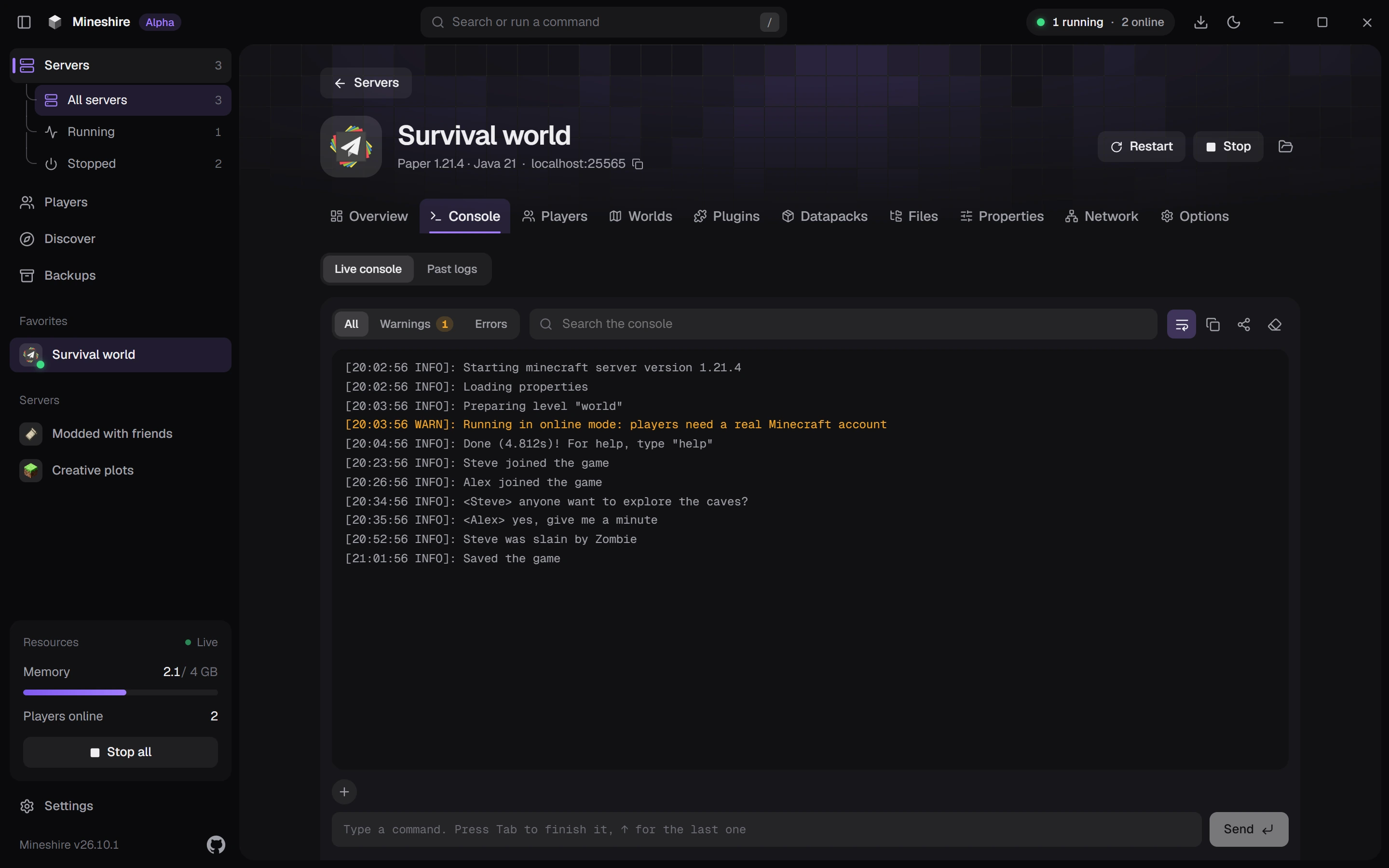
Read the log
The log is on the Live console view. It scrolls by itself while you're at the bottom. Scroll up to read something older and the log stops following, then a Latest button appears to take you back down.
Above the log:
- All, Warnings and Errors filter the lines. A small number beside Warnings and Errors counts how many there are, which makes a quick check after a start: if both are empty, nothing complained.
- Search the console finds a word in the log. Useful for a player's name or a plugin.
- The icon buttons wrap long lines, copy the log, share it with a link and clear the view. Copy takes only the lines you filtered when a filter is on.
The clear button empties this view only. Earlier runs and crash reports are under Past logs.
Send a command
Click the box at the bottom and type a command, then press Enter or Send. The server answers in the log.
- Tab completes the command you're typing, and a list of suggestions with short hints appears as you type.
- ↑ brings back the last command, so repeating one takes a second.
The box is switched off while the server is stopped, and the placeholder says Start the server to send commands.
A few that people reach for: list shows who's online, say Back in five sends a message to everyone, and time set day makes it morning. Operators and the whitelist have their own screens, described in Whitelist and operators.
Turn a command into a button
Commands you repeat belong on a button.
- Press the + above the command box.
- Under Name, write what the button should say, like "Make it day".
- Under Console command, write the command, like
time set day. - Press Add action.
The button sits above the command box and runs the command with one click while the server is running. The small x next to it removes it. You can keep up to ten on the console. The Overview tab has its own, separate set.
Servers made from a modpack
A server made from a modpack gets a third view called Client. It shows the game's own messages once you press Join.
Still stuck?
The Discord is the quickest way to reach us.